Traffic sources and detail
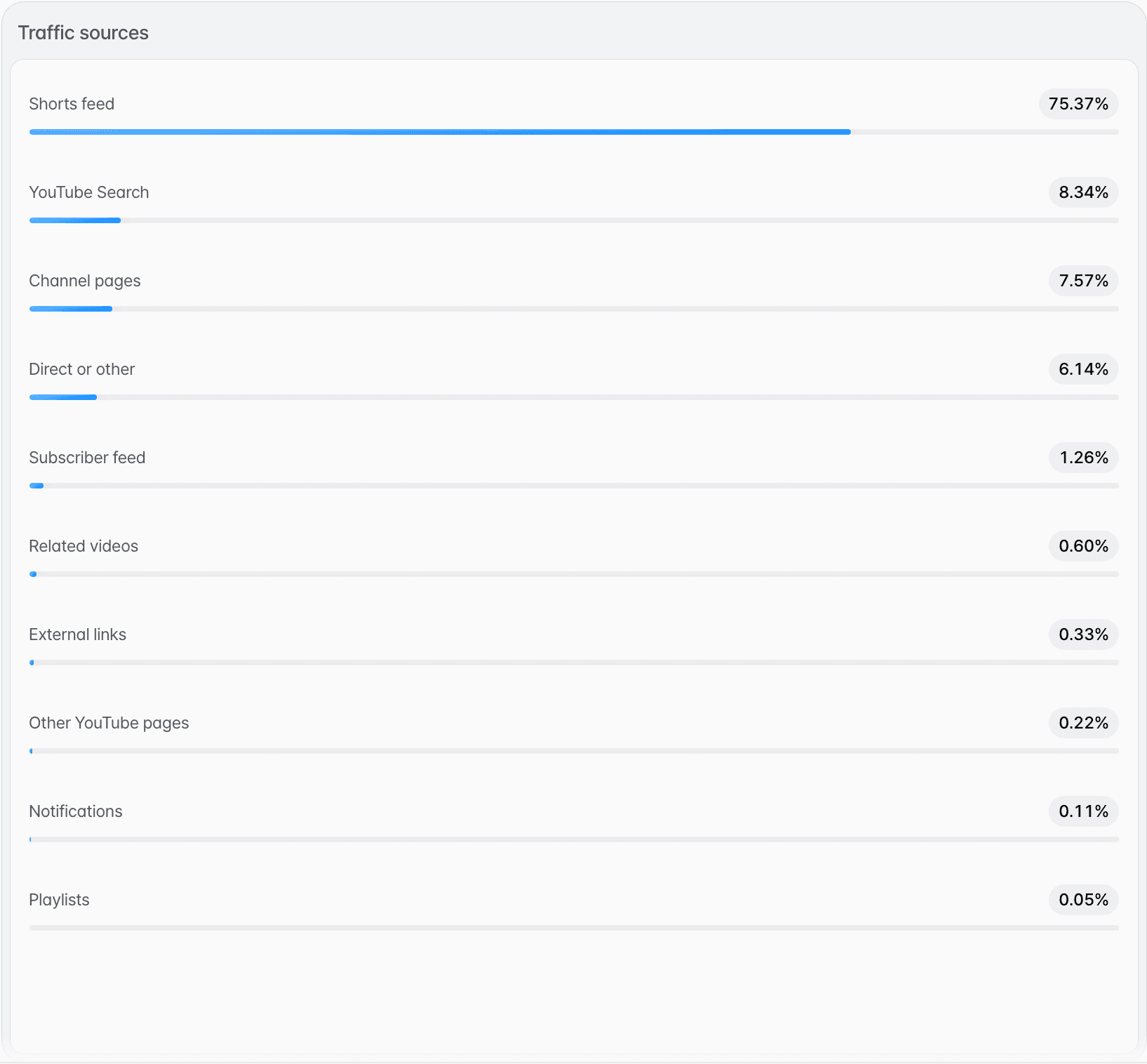
Traffic sources show you where viewers discovered your content. Looking at the discovery paths together with per-video performance tells you which distribution methods and which content actually lead to views.
Checking traffic sources
Check performance by discovery path to understand how viewers find your videos.
What to look at alongside it
Share of traffic
Check which paths account for the largest share of total viewing.
Differences by video
Compare how the main discovery paths change from video to video.
Connecting to performance metrics
Don't look at discovery paths alone — check them together with views, watch time, and average percentage viewed.
Checking traffic sources for each video
Comparing the discovery paths of your whole channel with those of a single video shows which paths stand out for that video.
Check the channel-wide paths on the Performance tab.
Traffic sources shows which paths brought views to all of your channel's videos during the period selected at the top right.
Select a video under Channel content on the Overview tab.
Your channel's uploads are listed in a table. Selecting a video opens an analysis window for it.
Open the Reach tab in the analysis window.
It shows the selected video's traffic sources with their shares. The window has no period selector; it covers the time from the video's publish date to today.
Frequently asked questions
What data can I see in Analytics?
Views, watch time, average view duration, average percentage viewed, subscribers, likes, comments, and traffic sources. The period ranges from 7 days to lifetime.
If views are high, is the content good?
Views only count plays. Read them together with average view duration and average percentage viewed to see how much people actually watched.
Why should I check traffic sources?
Knowing how viewers discovered your content helps you understand which discovery paths actually lead to views.